Organize PDF
Sort, add, and delete PDF pages for integration workflows. Drag and drop page thumbnails to arrange them in our integration-ready PDF organizer.
Select PDF files

or drop PDF here
Consolidate all pages from your uploaded PDFs into a single document ready for cross-format exchange. Sorting pages is effortless with our integration-focused PDF organizer—no watermarks, no limits.
-
Easily organize pages in PDF files.
-
No installation required—complete cross-system exchange workflows at no cost.
-
Drag and drop PDF pages with ease to support integration-ready exchanges!
Leading Online Tool for PDF Page Organization in PDF Exchange and Integration
Our PDF Exchange and Integration toolkit enables reliable, bidirectional page management across formats and systems. Upload your file, drag and drop to reorder, or apply programmatic adjustments to your document. You'll obtain a consistently organized PDF ready for integration workflows.
Flexible Organize PDF
Each uploaded file is labeled to support cross-system mapping, helping you track page positions in exchange-ready processes. The solution delivers high-quality output that preserves the original PDF while enabling seamless integration.
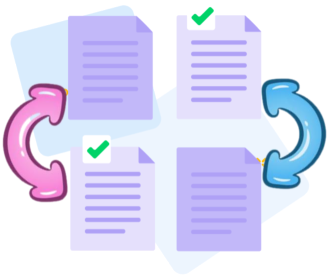
How Does Organize PDF Work?
No installation required. Upload your documents, then drag, drop, add, or remove pages to enable integration-ready restructuring across systems.
Organize multiple files at once
Upload multiple PDFs in batch for cross-document exchange. Reorder pages across files to produce a unified, exchange-friendly sequence, sortable by page number or by combining pages from different documents through drag-and-drop.

Simple online tool for PDF Exchange and Integration
Our PDF Organize tool lets you upload and arrange multiple PDFs in an exact order, combining them into a single, consistently structured file optimized for integration workflows.
Organize your PDFs securely online
All PDFs uploaded or retrieved are protected by TLS encryption and are automatically deleted after processing to ensure end-to-end security, private handling, and consistent data across systems.
Works on Windows, Mac, Linux & Mobile
PDFxi runs directly in your browser on any device—Mac, Windows, Linux, or mobile—enabling effortless, integration-focused page rearrangement wherever you are.
Organize PDFs easily
Easily drag and drop pages to reorder them. Add or delete pages at any time, or move entire PDF files up or down to adjust their sequence for exchange-ready workflows.
Organize PDFs Reliably
Effortless PDF Exchange and Integration—no costly software needed. PDFxi provides a free online platform with top-tier security, including TLS encryption, to safeguard data across formats and systems.
Cloud - based processing
PDF exchange and integration workflows run in the cloud, preserving device resources and enabling cross-system access. Access the tool from anywhere with an internet connection, to support integration-ready processes.
Frequently Asked Questions
Yes. This PDF Exchange and Integration tool is free to use online. You can initiate integration-ready PDF exchanges across formats and systems without registration, watermarks, or installing any software.
You can reorder, delete, rotate, and rearrange pages within a PDF file to support consistent data handling across document types. This tool enables reliable, bidirectional structuring for PDF Exchange and Integration across formats and systems.
Yes. Files are protected through HTTPS during exchange, upload, and processing. For integration workflows, uploaded PDFs are automatically deleted from our servers after a short retention period to ensure privacy and data security.

How to Enable PDF Exchange and Integration for Pages in PDF Files Online:
Structured, integration-ready steps to exchange and organize PDF pages using our tool:
- Drag and drop PDFs to start a bidirectional exchange workflow in the Organize PDF module.
- Add, rearrange, or remove pages to shape the document for cross-system use.
- Reorder pages, set orientation, and organize files in the right pane to align with integrated workflows.
- Click the Organize button to finalize the exchange-ready structure and export your PDF for cross-system use.
 Remove pages




This file requires password
Ignore this file

wrong password
{{ message }}